
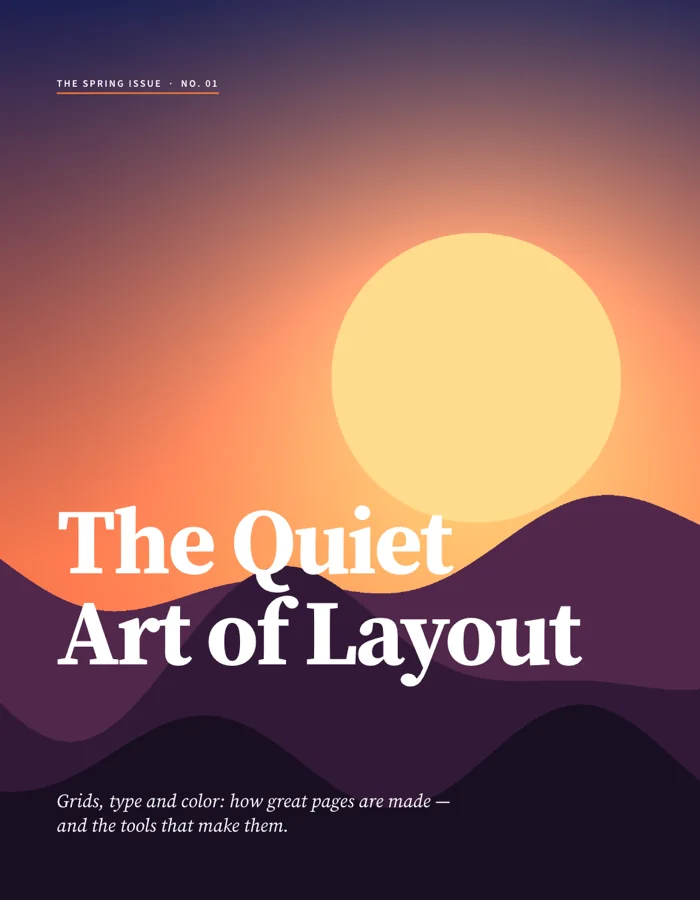
A finished page layout
The official sample cover combines a large title and page artwork into a single publication page.
Lay out pages with text frames, styles, spreads and parent pages.
Try simpler layouts through IDML; keep InDesign for demanding publications and INDD files.
A short standalone document gives you an easier place to judge the text flow and exported pages before moving a larger publication.
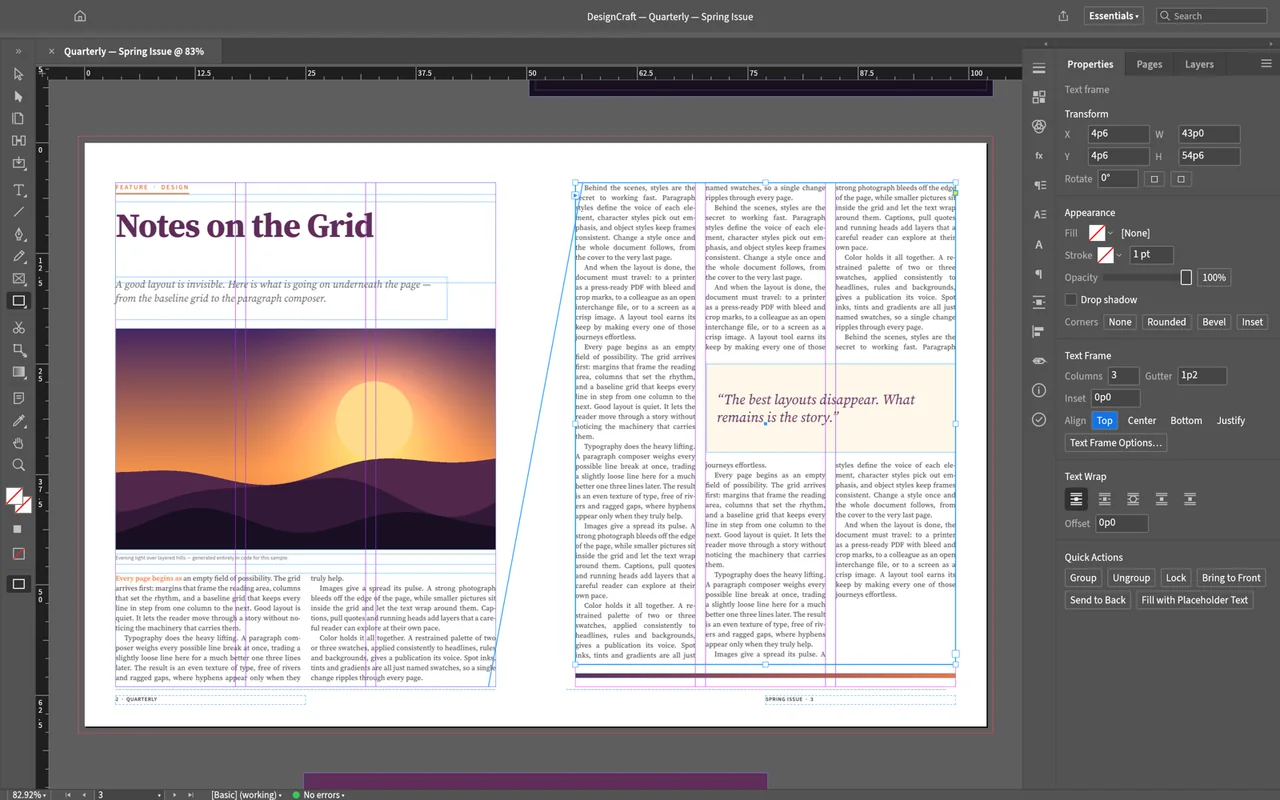
DesignCraft has spreads, parent pages, frames, paragraph styles and character styles. Reusable styles let you change related text together, while text wrap and page guides help you arrange copy around artwork.
The opening screenshot shows a two-page magazine layout with frames, guides and a properties panel. The image below is an official sample document's rendered cover, showing the page output rather than another app interface.
The official sample cover combines a large title and page artwork into a single publication page.
Local page layout is free, with no subscription.
DesignCraft has no licence server and no telemetry.
The developers haven't published separate account requirements or an app-wide offline policy.
ArtCraft's AI workbench is a separate product, and hosted generation uses credits. Making a layout in the desktop editor and generating new media through that service have different costs; see AI Workbench and Is ArtCraft free?.
Choose the official desktop package for your system below. Use Craft Launcher if you want one place to manage several Craft apps, or choose the standalone package to install DesignCraft on its own.
Match the processor before downloading: macOS uses a universal package, while Windows has separate x64, x86 and ARM64 packages. On Linux, keep the instructions for the package you chose together; a Flatpak bundle and an AppImage use different installation routes.
For several editing apps, use Craft Launcher to install, verify and update them.
Choose your system and processor to get an official package. The complete package list is available below.
designcraft-0.7.1-windows-arm64.msi
SHA-256
a6da74d2eb7f2dbc5a2dc6059b473a9e14f9075cacf3a9b03a359e343bfa8ba5Calculate the local file’s SHA-256, then compare the complete value for this filename.
Get-FileHash -LiteralPath "<downloaded-file>" -Algorithm SHA256designcraft-0.7.1-windows-arm64-portable.zip
SHA-256
ae6d0a1d0ebed74ea74f4a20d8137b2749f5a0635c5766a97908ca081cd6820dCalculate the local file’s SHA-256, then compare the complete value for this filename.
Get-FileHash -LiteralPath "<downloaded-file>" -Algorithm SHA256designcraft-0.7.1-windows-x86.msi
SHA-256
605a9d5960ff8433ce0cb6137b5c93ecf33b902ca56ff472df6e52bb2fffd8a9Calculate the local file’s SHA-256, then compare the complete value for this filename.
Get-FileHash -LiteralPath "<downloaded-file>" -Algorithm SHA256designcraft-0.7.1-windows-x86-portable.zip
SHA-256
9219ee03756be3a1f25576cdf213934f8e65c4f9bea343f2ea87864b99960fc8Calculate the local file’s SHA-256, then compare the complete value for this filename.
Get-FileHash -LiteralPath "<downloaded-file>" -Algorithm SHA256designcraft-0.7.1-windows-x64.msi
SHA-256
650c6f70ef965f1d922d6c233fc768dfac214054a833a516c2b25741c4b1c758Calculate the local file’s SHA-256, then compare the complete value for this filename.
Get-FileHash -LiteralPath "<downloaded-file>" -Algorithm SHA256designcraft-0.7.1-windows-x64-portable.zip
SHA-256
b3db17ac0fc6e1db54d60c5491b5c1d6874459e2867495eaa74b5a8c56e59077Calculate the local file’s SHA-256, then compare the complete value for this filename.
Get-FileHash -LiteralPath "<downloaded-file>" -Algorithm SHA256designcraft-0.7.1-macos-universal.dmg
SHA-256
c8520b8fa702e19436c06269792e68a3ca09a629c6d5cb59193355ef3e89ec52Calculate the local file’s SHA-256, then compare the complete value for this filename.
shasum -a 256 "<downloaded-file>"designcraft-0.7.1-linux-aarch64.AppImage
SHA-256
6aa239aef20a856ed81f16b976e5c3a22076ff6407ede4a0dae35fb616e3b6ceCalculate the local file’s SHA-256, then compare the complete value for this filename.
sha256sum "<downloaded-file>"designcraft-0.7.1-linux-aarch64.deb
SHA-256
dd9956d42b23c7cd16ecc0c26bc608b2d3c7b60ff55e1a7b2b13b5ae66ffa404Calculate the local file’s SHA-256, then compare the complete value for this filename.
sha256sum "<downloaded-file>"designcraft-0.7.1-linux-aarch64.flatpak
SHA-256
87054122a6abe1e911f722ad7d7f21ac2aedc6a72237c1d1f18c45019fbbb388Calculate the local file’s SHA-256, then compare the complete value for this filename.
sha256sum "<downloaded-file>"designcraft-0.7.1-linux-aarch64.rpm
SHA-256
78f4e7f02546f4886a3298f8e12a723dbf436db2fad354a096f2e93482c560b5Calculate the local file’s SHA-256, then compare the complete value for this filename.
sha256sum "<downloaded-file>"designcraft-0.7.1-linux-aarch64.tar.gz
SHA-256
665c2736ad0841b8a917b4f5b761a1ad104a7196fcaf5d2d5608df0dd876d820Calculate the local file’s SHA-256, then compare the complete value for this filename.
sha256sum "<downloaded-file>"designcraft-0.7.1-linux-riscv64.deb
SHA-256
a5eb2e39c4a140e3b0daecee61d546134371b933d5c407c5fc5ec842c6fc67a0Calculate the local file’s SHA-256, then compare the complete value for this filename.
sha256sum "<downloaded-file>"designcraft-0.7.1-linux-riscv64.rpm
SHA-256
3d359e63b1c08e6dc09a0b0c31781bfecdbb2ca8f124f6d610c9ca476995b1c7Calculate the local file’s SHA-256, then compare the complete value for this filename.
sha256sum "<downloaded-file>"designcraft-0.7.1-linux-riscv64.tar.gz
SHA-256
01b10d5a51caba17402dacbe371500fd6c3ef313e35a8a70f58475d452a25f00Calculate the local file’s SHA-256, then compare the complete value for this filename.
sha256sum "<downloaded-file>"designcraft-0.7.1-linux-x86_64.AppImage
SHA-256
4fbb5d2d2c2f1d67fb7e131e54a8545310c489258ca5a2d5509a7a2c5d3fa59bCalculate the local file’s SHA-256, then compare the complete value for this filename.
sha256sum "<downloaded-file>"designcraft-0.7.1-linux-x86_64.deb
SHA-256
75e27e5aa70919d43fa8730c508ca6edf7c93102b91bd411ddf99ae311ef332bCalculate the local file’s SHA-256, then compare the complete value for this filename.
sha256sum "<downloaded-file>"designcraft-0.7.1-linux-x86_64.flatpak
SHA-256
a756d37b93c5634a5da958ba589cf3a35ef8172e5894ef52d3a430b182293d1cCalculate the local file’s SHA-256, then compare the complete value for this filename.
sha256sum "<downloaded-file>"designcraft-0.7.1-linux-x86_64.rpm
SHA-256
36e0d6b66bb3c0ef2dc14f83c7dad0ba5651fa64f4b8fe84942de8e5e03a3acaCalculate the local file’s SHA-256, then compare the complete value for this filename.
sha256sum "<downloaded-file>"designcraft-0.7.1-linux-x86_64.tar.gz
SHA-256
05a2b2531f6f26746b4a743081fd00f9ea77822fa178663802a0eaeced6c1437Calculate the local file’s SHA-256, then compare the complete value for this filename.
sha256sum "<downloaded-file>"designcraft-0.7.1-freebsd-x86_64.tar.gz
SHA-256
76501354e668ecdc9d0c1465c5905fc2ff23dd9e5c4bd5ab8662b2c522bd21fdCalculate the local file’s SHA-256, then compare the complete value for this filename.
sha256 -q "<downloaded-file>"flatpak install --user followed by the downloaded filename.| System | Published requirement |
|---|---|
| macOS | Intel and Apple silicon universal package; minimum OS not published. |
| Windows | x64, x86 and ARM64 packages; minimum OS not published. |
| Linux | General minimum OS/runtime not published; riscv64 tarball needs glibc 2.39 or later. |
| RAM, GPU and storage | The developers haven't published complete minimum values. |
The developers haven't published DesignCraft-specific steps for Gatekeeper or SmartScreen warnings. If your computer blocks the app or it won't open, describe the message and your system in the official support tracker.
Make a simple page with your own text and a picture, then save the editable document and export a PDF. Start with a short plain-text file and a PNG image so you can focus on the page layout before trying an existing publication.
.txt file to add text to the layout..designcraft document.Ten shortcuts for documents, placed artwork and common edits.
| Action | Windows / Linux | macOS |
|---|---|---|
| New document | Ctrl+N | Command+N |
| Open | Ctrl+O | Command+O |
| Save | Ctrl+S | Command+S |
| Save As | Ctrl+Shift+S | Command+Shift+S |
| Close | Ctrl+W | Command+W |
| Place | Ctrl+D | Command+D |
| Undo | Ctrl+Z | Command+Z |
| Redo | Ctrl+Shift+Z | Command+Shift+Z |
| Select All | Ctrl+A | Command+A |
| Deselect All | Ctrl+Shift+A | Command+Shift+A |
| Action | Windows / Linux | macOS |
|---|---|---|
| Document… | Ctrl+N | Command+N |
| Open… | Ctrl+O | Command+O |
| Save | Ctrl+S | Command+S |
| Save As… | Ctrl+Shift+S | Command+Shift+S |
| Close | Ctrl+W | Command+W |
| Place… | Ctrl+D | Command+D |
| Undo | Ctrl+Z | Command+Z |
| Redo | Ctrl+Shift+Z | Command+Shift+Z |
| Select All | Ctrl+A | Command+A |
| Deselect All | Ctrl+Shift+A | Command+Shift+A |
| Clear | Delete | Delete |
| Copy | Ctrl+C | Command+C |
| Cut | Ctrl+X | Command+X |
| Paste without Formatting | Ctrl+Shift+V | Command+Shift+V |
| Paste | Ctrl+V | Command+V |
| Paste Into | Ctrl+Alt+V | Command+Option+V |
| Paste in Place | Ctrl+Alt+Shift+V | Command+Option+Shift+V |
| Duplicate | Ctrl+Alt+Shift+D | Command+Option+Shift+D |
Use the layout overview to understand frames and styles before changing a larger document. Its quick-start code is a separate developer route, so the five desktop steps above are the shorter starting point for an installed app.
One production account describes a completed brand guide and warnings during print export.
The author's Windows workflow using Claude Code and scripts made a twelve-page brand guide with paragraph styles and a generated contents list. Preflight passed, but PDF/X export still reported eleven warnings. Read the earlier-release production account.
Use an IDML copy to move an InDesign layout; DesignCraft cannot open INDD directly. Inspect page breaks, fonts, linked artwork and text frames when you exchange the saved layout.
| Format | Open / save | What to watch |
|---|---|---|
| IDML | Import and export | Check page layout and text flow in the receiving app. |
| INDD | Opening planned; no export | Export an IDML copy from InDesign first. |
| DESIGNCRAFT | Read and write | Native editable document. |
| Place artwork and export pages | Placed PDF artwork is not directly editable; confirm the printer's required PDF standard. | |
| EPUB | Export | Reflowable stories adapt to the reader's screen. |
Keep your editable document alongside the exported delivery. PDF preserves a page for viewing or printing, while EPUB lets text reflow; choose based on how the reader will use the document. See the full format reference.
Choose by the length and kind of layout. LibreOffice Draw suits simple flyers and diagrams, while Inkscape is a useful choice for a single-page vector poster; use a publishing-focused app when your main task is a multi-page publication.
| App | Good for | Free option |
|---|---|---|
| DesignCraft | Short layouts and IDML exchange you can check | Free local editor. |
| LibreOffice Draw | Simple flyers, diagrams and light page layout | Free and open source; paid support is separate. |
| Inkscape | Single-page vector posters and simple layouts | Free and open source. |
No. DesignCraft's local page editing is free; the separate AI workbench charges credits for hosted generation.
Direct opening is planned. Export an IDML copy from InDesign, then check it in DesignCraft.
IDML export is available. Inspect page breaks, fonts, artwork and text frames after opening the returned file.
PDF export includes PDF/X-4 and PDF/A-2b. Confirm the required standard with the printer and check the exported pages.
Follow the five-step text-and-picture page above, then read the official layout overview for frames, styles and export choices.
Based on official docs and published reviews; we didn't install it ourselves.
Last checked: 14 Oct 2026.
Current release: 0.7.1.

