
13 free apps for everyday work
Familiar alternatives to Photoshop, Premiere, Acrobat, Word and more.
Apps
VectorCraft
FreeReplaces: Illustrator
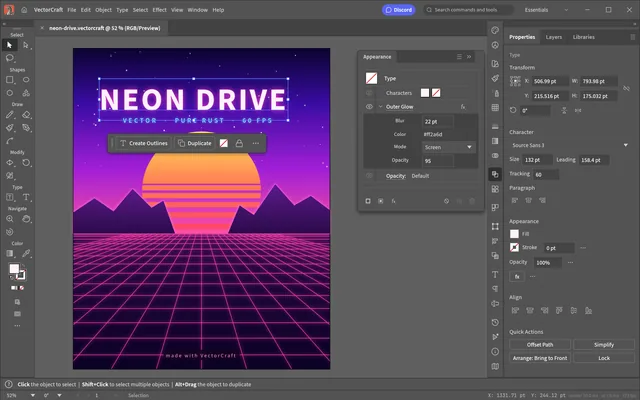
Does: Draw vector artwork with paths, layers, shape operations and swatches.
Best for: Good for SVG and PDF artwork; keep Illustrator when editable Illustrator .ai file details must survive.
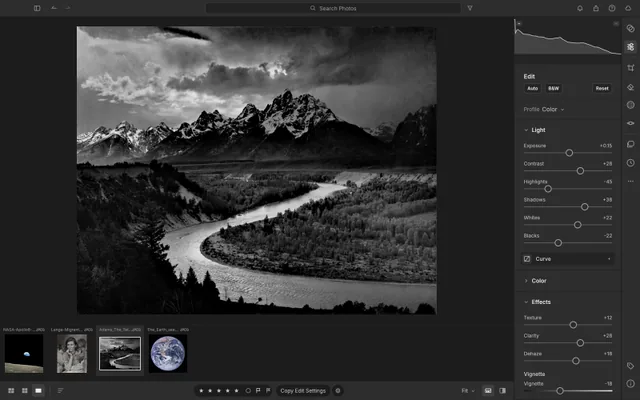
LightCraft
FreeReplaces: Lightroom
Does: Organise photos, adjust RAW images, apply masks and export batches.
Best for: Try it with supported camera files; check RAW variants before moving your photo library.
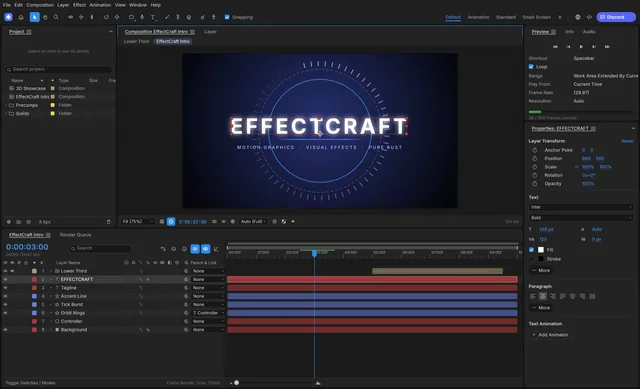
EffectCraft
FreeReplaces: After Effects
Does: Build layered motion graphics with keyframes, masks, text and expressions.
Best for: Try it for supported renders and Lottie animation; keep After Effects for its projects and plug-ins.
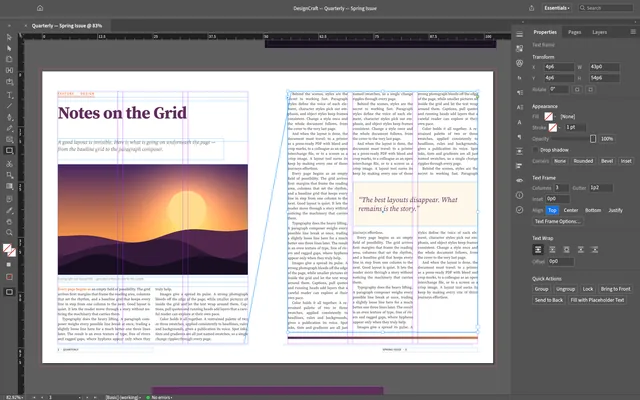
DesignCraft
FreeReplaces: InDesign
Does: Lay out pages with text frames, styles, spreads and parent pages.
Best for: Try simpler layouts through IDML; keep InDesign for demanding publications and INDD files.
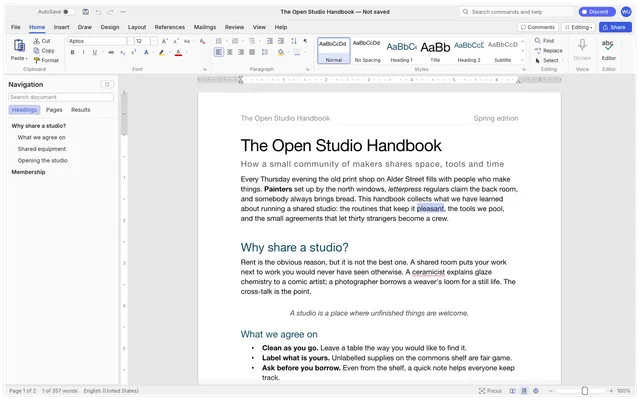
WordCraft
FreeReplaces: Word
Does: Write and format documents with tables, comments and tracked changes.
Best for: Good for everyday documents; check complex DOCX layouts and embedded objects before sharing.
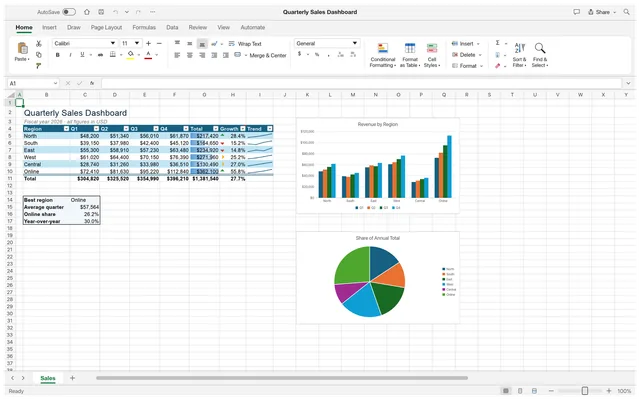
GridCraft
FreeReplaces: Excel
Does: Work with formulas, tables, charts, sorting and data validation.
Best for: Try ordinary XLSX workbooks; check formulas and imported content before handing them back.
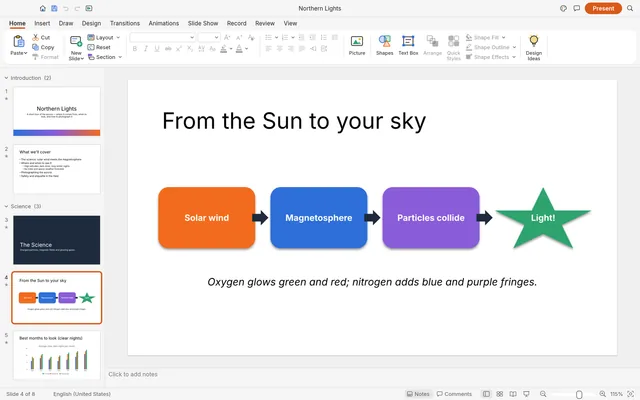
DeckCraft
FreeReplaces: PowerPoint
Does: Create slides with themes, layouts, pictures, transitions and presenter tools.
Best for: Try everyday decks; check fonts, animations and embedded content after PPTX exchange.
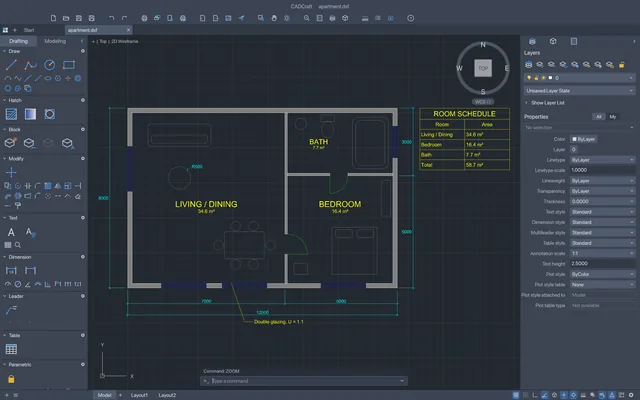
CADCraft
FreeReplaces: AutoCAD
Does: Draw and modify 2D CAD plans with snaps, layers, dimensions and blocks.
Best for: Try drawings you can check in the receiving app; keep AutoCAD for objects that fail to round-trip.
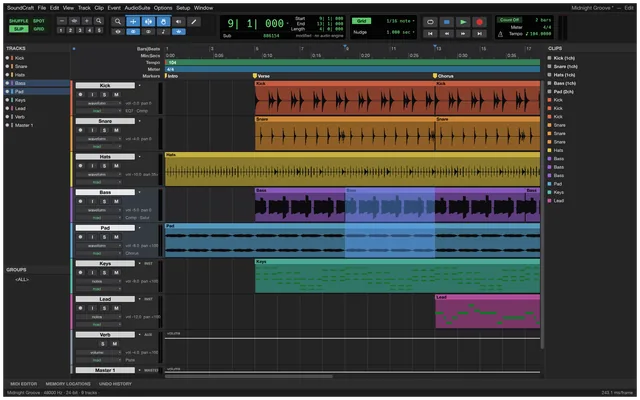
SoundCraft
FreeReplaces: Pro Tools
Does: Record, edit and mix audio with MIDI, automation and local effects.
Best for: Try audio and MIDI media workflows; keep your original DAW for session exchange.
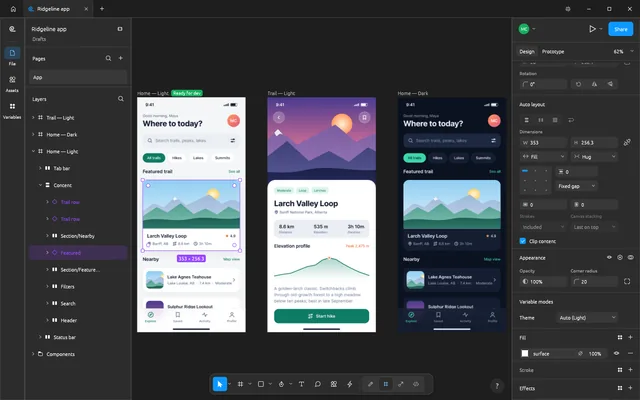
FigCraft
FreeReplaces: Figma
Does: Design interfaces with auto layout, components, prototypes and vector tools.
Best for: Good for local interface work; check FIG exchange and sharing before moving team projects.
Free local editing
Free · No subscription · Edits stay on your computer · Windows / macOS / Linux
The Craft apps edit files locally, with no subscription for local editing. ArtCraft's hosted AI generation is a separate service with credits; platform packages and minimum requirements vary by app.
Can these replace Adobe?
Try them for everyday edits and simpler projects; keep your existing software for demanding professional work. For client work, edit a copy and check the saved file in its original app.
PhotoCraft vs Photoshop · FilmCraft vs Premiere Pro · PdfCraft vs Acrobat
Choose how to install
Craft Launcher
Install, update and open several Craft apps from one place, choosing only the ones you need. Get the official Launcher package for your system, then let it manage your apps.
One app
Download just the app you want from its official release page. Each app guide helps you choose a package for your system and processor.
What others say
Early reactions mix enthusiasm with practical complaints.
Steve Paris · TechRadar
Familiar layouts and common creative tools made the early apps impressive to explore. He used PhotoCraft and FilmCraft on an Intel Mac.
Griffin Wooldridge
He highlighted familiar workflows and agent controls as an interesting direction for open creative tools. His article introduces the suite.
Joe Foley · Creative Bloq
Stability, compatibility and missing features kept him from switching production work. He tried PhotoCraft, LightCraft and FilmCraft on Windows.
Kyle Orland · Ars Technica
He described ambitious free replacements that were still far from finished. His article discusses the projects and their approach.
What is ArtCraft AI?
ArtCraft AI is a separate workbench for generating images and video. Hosted generation uses credits, with subscription plans and credit packs.
FAQ
Which Craft app should I choose?
Start with the software you want to replace: PhotoCraft for Photoshop-style photo edits, FilmCraft for video and PdfCraft for PDFs. The cards above cover all thirteen apps.
Why does ArtCraft sell credits if the apps are free?
Local editing is free. Credits pay for hosted AI generation in the separate workbench.
Do I have to install Craft Launcher?
No. You can download one app directly or use Launcher to manage several.
Will my Adobe or Office files open correctly?
Check the app's file section for your format, and keep the original when exchanging files with Adobe or Office.
Can I use these apps on Mac or Linux?
The apps have Windows, macOS and Linux packages. Check the individual app's system and processor requirements before downloading.
Sources
- Official Craft app directory
- Craft Launcher guide
- PhotoCraft features and limitations
- Official ArtCraft AI pricing
Based on official docs and published reviews; we didn't install it ourselves.
Last checked 14 Oct 2026
Image credits
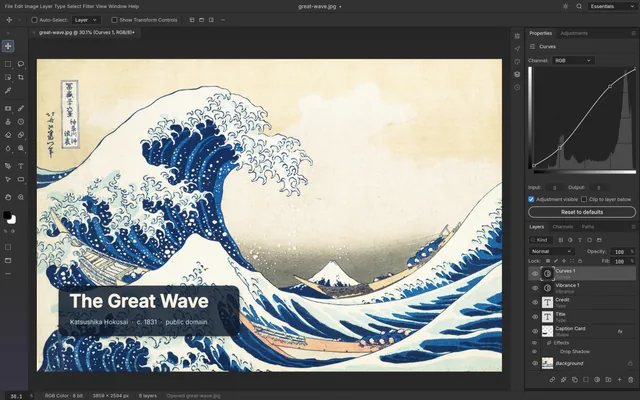
- PhotoCraft: PhotoCraft contributors (UI, MIT). The Great Wave off Kanagawa, Katsushika Hokusai, c.1831; public domain via Wikimedia Commons. Original screenshot · License notices
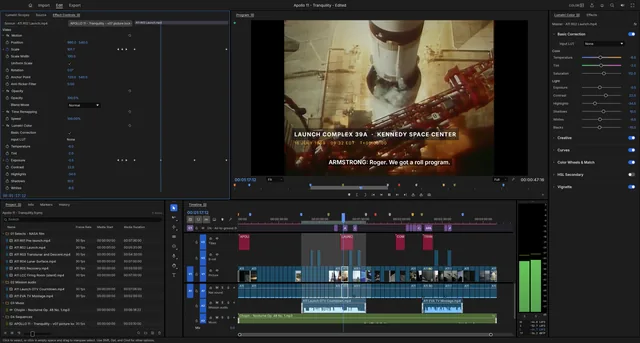
- FilmCraft: Screenshot © 2026 ArtCraft Team and FilmCraft contributors, MIT OR Apache-2.0. NASA Apollo 11 footage and transcript: public domain; music waveform: Chopin/Musopen, CC0. NASA does not endorse this guide. Original screenshot · License notices
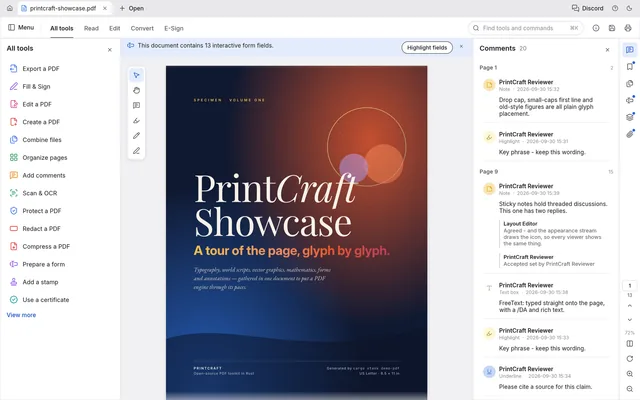
- PdfCraft: PdfCraft contributors / ArtCraft Team (MIT), official historical screenshot: PrintCraft was the former name. UI icons: Lucide contributors (ISC), portions Cole Bemis (MIT); showcase fonts OFL-1.1. Original screenshot · License notices
- VectorCraft: VectorCraft contributors / ArtCraft Team (UI and sample artwork, MIT). UI icons: Lucide Icons and Contributors (ISC); Cole Bemis / Feather-derived icons (MIT). Original screenshot · License notices
- LightCraft: LightCraft contributors / ArtCraft Team (UI, MIT). The Tetons and the Snake River: Ansel Adams, 1942 / U.S. National Archives. Filmstrip: Migrant Mother, Dorothea Lange, 1936 / FSA / Library of Congress; Earthrise, Bill Anders / NASA, 1968; The Blue Marble, Apollo 17 crew / NASA, 1972. Public-domain federal works; no NASA endorsement. Original screenshot · License notices
- EffectCraft: EffectCraft contributors / ArtCraft Team (UI and generated sample artwork, MIT). Original screenshot · License notices
- DesignCraft: DesignCraft contributors / ArtCraft Team (UI and generated sample artwork, MIT). Original screenshot · License notices
- WordCraft: WordCraft contributors / ArtCraft Team (UI and generated sample document, MIT). Original screenshot · License notices
- GridCraft: GridCraft contributors / ArtCraft Team (UI and generated sample spreadsheet, MIT). Original screenshot · License notices
- DeckCraft: DeckCraft contributors / ArtCraft Team (UI and generated sample slides, MIT). Original screenshot · License notices
- CADCraft: CADCraft contributors / ArtCraft Team (UI and generated sample drawing, MIT). Original screenshot · License notices
- SoundCraft: SoundCraft contributors / ArtCraft Team (UI and generated demo session, MIT). Original screenshot · License notices
- FigCraft: FigCraft contributors / ArtCraft Team (UI and generated sample design, MIT). Original screenshot · License notices


